Find your place.
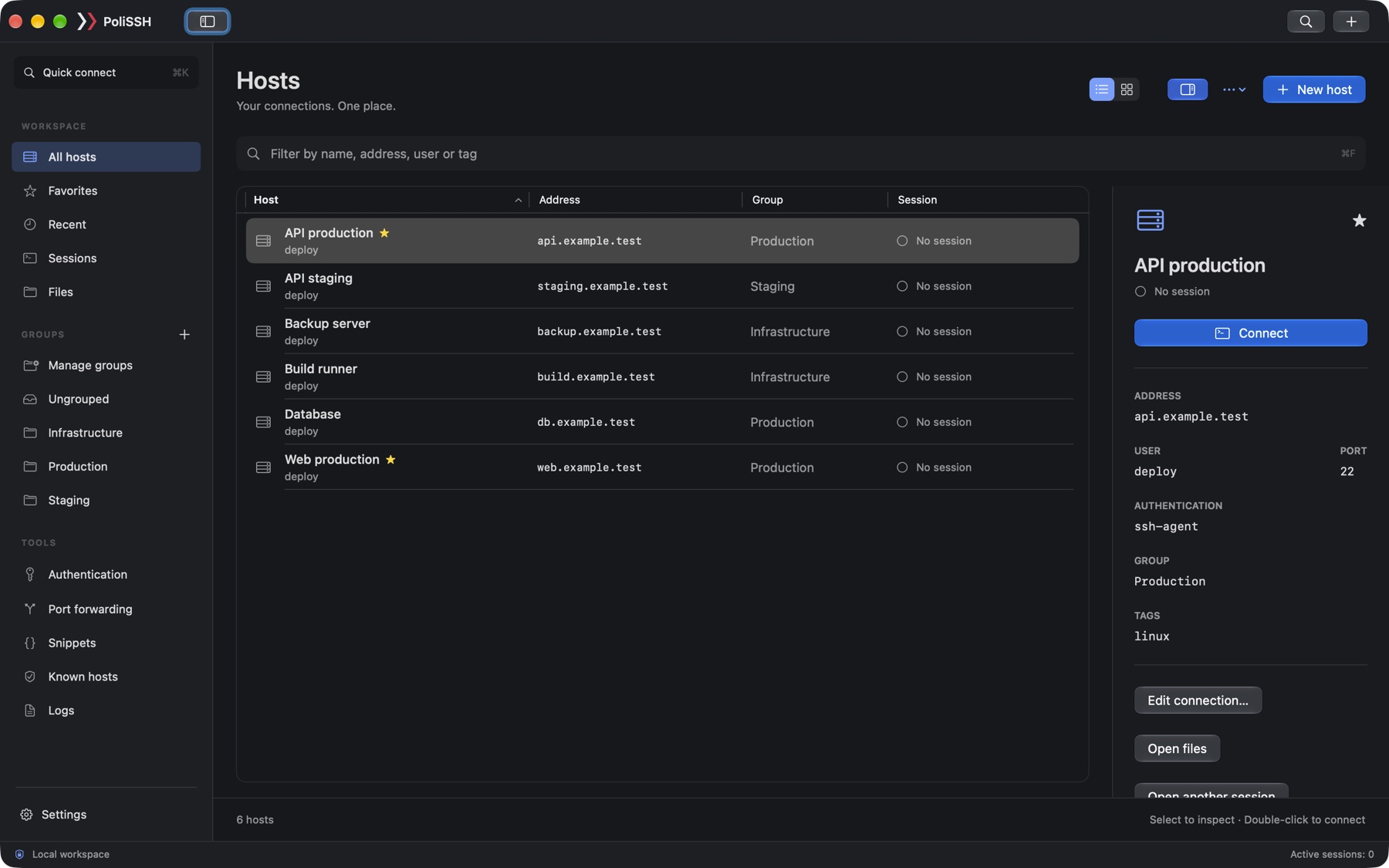
Group hosts by project or environment. Add favorites and tags, search your library, or jump straight in with Quick Connect.
HOSTS / GROUPS / SEARCH
 PoliSSH
A native SSH & SFTP workspace. One place to connect, move files and get on with it.
Go from a command to a remote file without juggling a separate file client and editor. Keep your servers, shell and transfers together in a workspace built for the Mac with Swift and Rust.
macOS 14+ · Apple Silicon · ZIP, 12.8 MB
Developer ID signed & notarized by Apple
Your everyday remote workflow, with the useful bits close at hand.
Group hosts by project or environment. Add favorites and tags, search your library, or jump straight in with Quick Connect.
HOSTS / GROUPS / SEARCHOpen multiple SSH sessions, use a local terminal and keep SFTP beside your shell. You can also start with files and open a terminal when you need one.
SSH / LOCAL TERMINAL / SFTPEdit remote text files in the built-in editor. Upload or download files and folders, with a transfer queue, progress and conflict choices in view.
REMOTE EDITOR / TRANSFER QUEUEServer work rarely stays in one window. A command leads to a config file, a fix needs an upload, and an error needs a closer look. PoliSSH keeps those steps connected.
| The familiar detour | The PoliSSH way |
|---|---|
| Open a shell. Open a file client. Find your place again. | One connection, three views.Switch between Terminal, Files and Terminal + files on the same connection. Your paths, selections and transfer queue stay with you. Start with SFTP and add a shell only when you need it. |
| See a file in an error. Copy the path. Go looking for it. | From output to editor.Command-click a detected remote file path to open it in the built-in editor. A reference such as Remote editing supports UTF-8 text files up to 2 MB. Relative paths need shell integration or OSC 7 directory reporting. |
| Scroll back through output to remember what happened. | Commands with context.Optional shell integration gives commands their own blocks, with the working directory, duration and exit status. Save repeat jobs as snippets, so the useful commands are ready for next time. Shell integration supports zsh and Bash 4.4+. Command history stays in memory for the session. |
| Switch to a separate AI chat to make sense of an error. | Ask from where you work.Select the output you want help with and ask AI to explain it or draft a command. Review what you send and what comes back. PoliSSH never runs AI-generated commands automatically. |
Production, staging, that one backup box. Give each connection a place.
Choose a compact list or a visual tile layout. Inspect the address, user, authentication and group before you connect. Both light and dark appearances feel at home on your Mac.
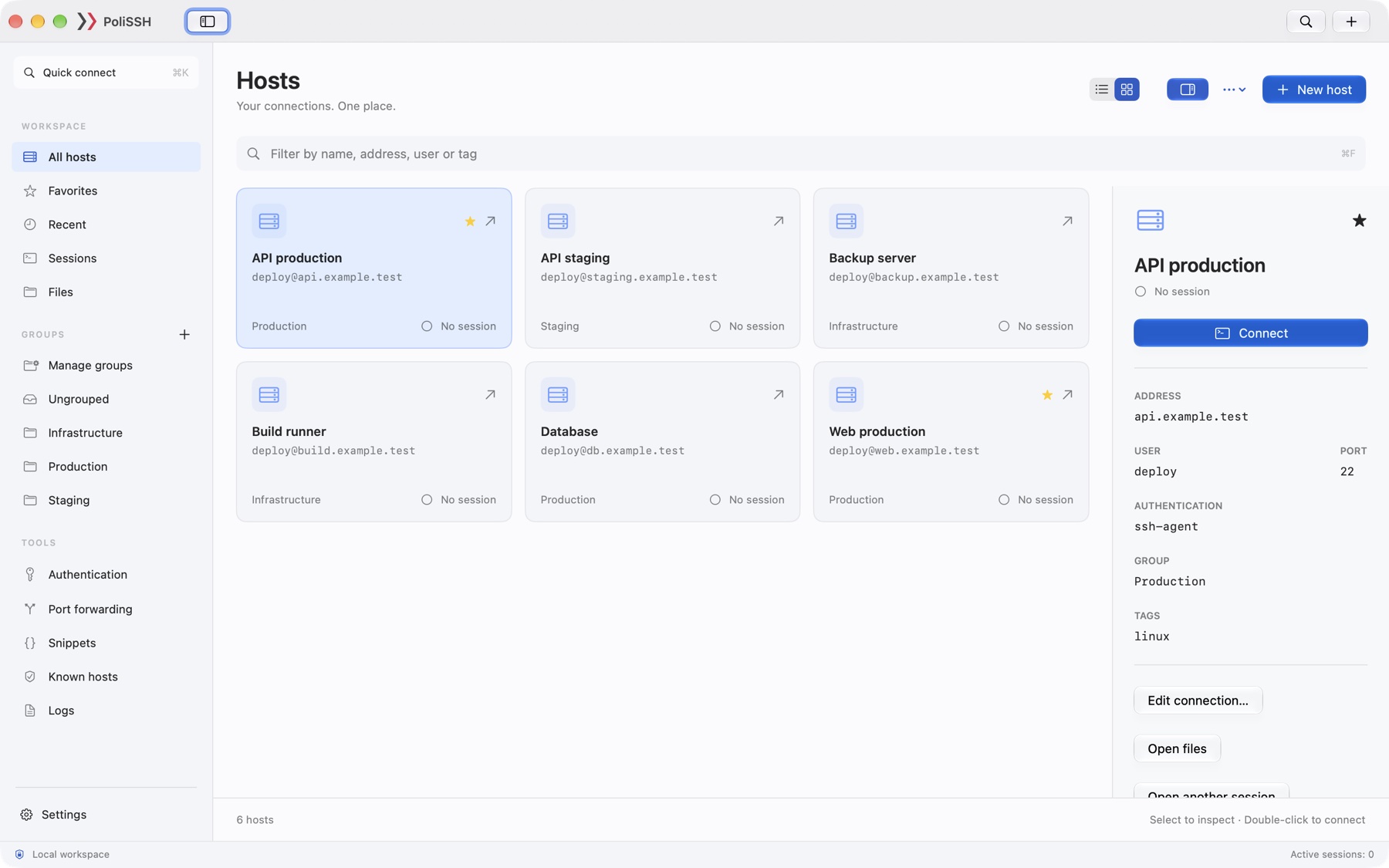
Native macOS controls, keyboard shortcuts, English and Polish interfaces. Keep host configuration locally in SQLite and secrets in macOS Keychain.
Use passwords, SSH keys or your SSH agent. Add jump hosts, set up port forwarding, and review new or changed server fingerprints before trusting them.
Save reusable snippets and bring them into your sessions. Optional AI assistance can explain output or draft a command for you to review.
PoliSSH is in public beta. Expect rough edges, keep a backup of important configuration and tell us what gets in your way.
Report a bug or suggest an ideaA Mac with Apple Silicon and macOS 14 or later. The current download is 0.20.0, distributed directly as a signed and notarized app.
Download and unzip the app, then move PoliSSH to Applications. Future signed updates are available through PoliSSH → Check for Updates…. Finish active sessions and transfers before updating. Read the installation guide.
iCloud synchronization is experimental. Verification between two Macs is still pending. For the beta, treat your local workspace and its backups as your source of truth.
Find the English guide, instrukcję po polsku, backup and support instructions, and privacy information in the documentation.

0.20.0 public beta · macOS 14+ · Apple Silicon
Release notes · Privacy
The terminal is serious. The studio is almost sensible.